Study Preview
Before a single participant sees your study, test it yourself — on the exact device frames they will use. Mobile, tablet, and desktop layouts render pixel-perfect inside realistic device chrome, with conditional logic and branching live and interactive.
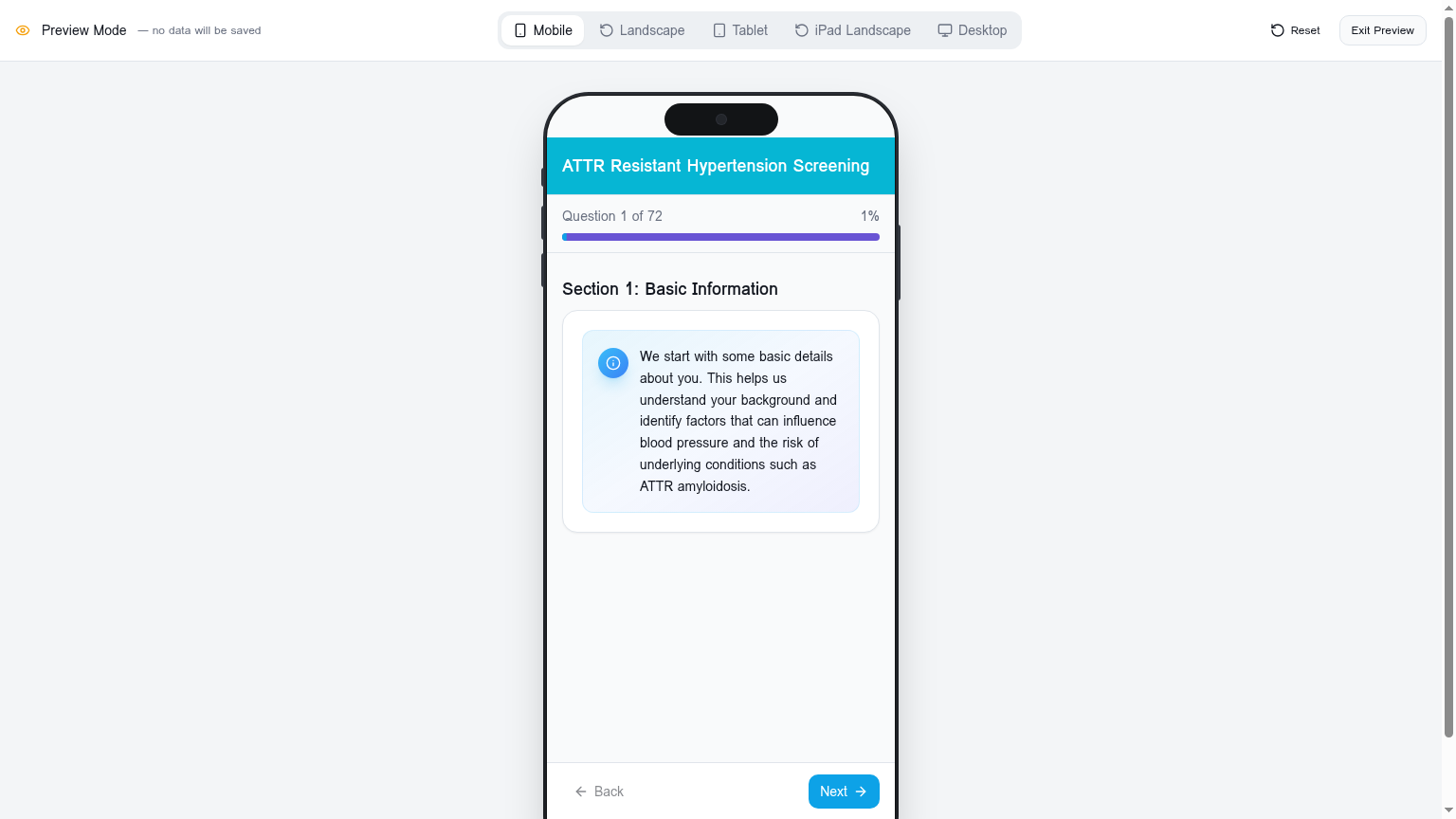
Device frames that reflect reality
iPhone, iPhone Landscape, iPad, iPad Landscape, and desktop are all one click apart. Layout breakpoints, type scaling, and touch targets are rendered exactly as the participant will experience them.
Interactive — not a static mockup
Tap, type, choose, and submit. Conditional logic and branching fire just as they will in production, so you can validate the participant's path through your protocol before going live. No data is saved — Preview is a sandbox.
One-click reset
Run the flow as many times as you need. Reset clears the in-memory answers and starts from the top — perfect for QA passes before launch.
Capabilities
- iPhone, iPhone Landscape, iPad, iPad Landscape, and desktop frames
- Interactive question rendering with full state
- Live conditional logic and answer-driven branching
- Reset to top in a single click
- Exit Preview returns to the editor
- Zero data persistence — Preview never writes to the database
Typical use cases
- Pre-launch QA across the device matrix
- Stakeholder walk-through before go-live
- Reviewing conditional logic edge cases